
Small Vision-Based Rover

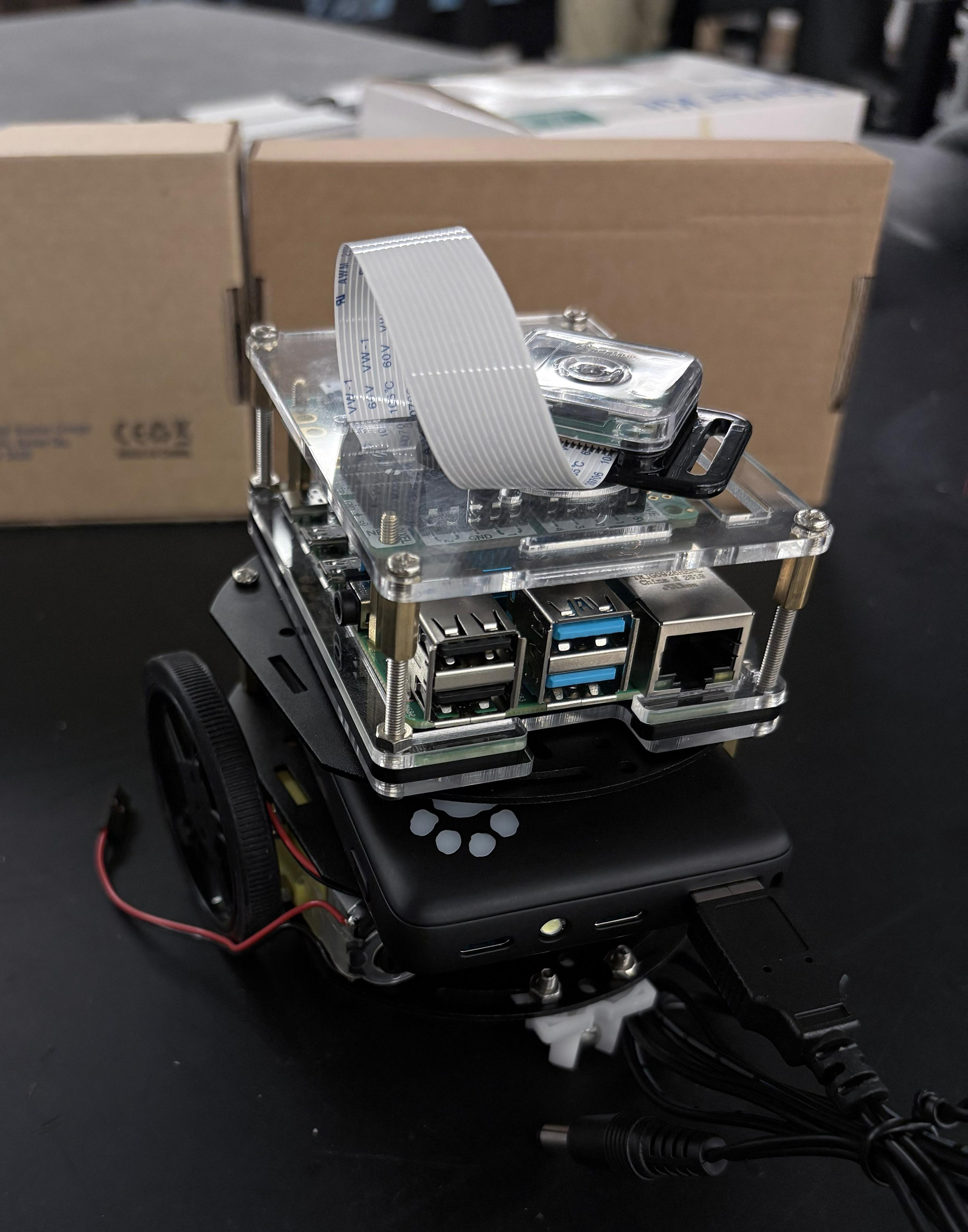
For my Industrial Automation class, my teammates Maxime Mobayed and Andres Permuy and I built a small vision-based inspection rover with web services.

This semester-long build took a Raspberry Pi rover from raw motor commands to a web-controlled robot that reacts to QR codes. Each assignment added a layer on top of the last: motor abstraction, remote execution, web services, an operator HMI, and vision-triggered behavior. I did nearly all the development, deployment, and debugging from the Linux command line.
1. Motor control layer
Wrote a Python Robot class that drives two DC motors through an Adafruit Crickit HAT and exposes a single move(right, left, duration) interface.
Built an argparse CLI for left/right throttle and duration.
Input validation keeps throttle within ±0.9 and duration within 30 s, so a bad command can't send the rover off at full speed.
Added per-direction sync coefficients to correct straight-line drift. Motors rarely match each other, and they often behave differently forward vs. reverse.
Found and fixed a left/right argument swap between the CLI and the method signature.
2. Remote execution over SSH
Packaged motion primitives (forward, backward, left, right, spin_left, spin_right) as a CLI script on the Pi.
Wrote a host-side Python driver that uses subprocess to SSH into the Pi and run commands remotely, scripting full motion sequences from a separate machine.
Debugged hostname targeting (mDNS .local resolution), interpreter paths across machines, and exit-status handling for failed remote calls.
3. Web service control
Moved from SSH to an HTTP server running on the Pi (port 8888). Each motion command is a POST endpoint with JSON arguments.
Wrote two client implementations:
A stateless client that opens a new urlopen connection per command.
A persistent HTTPConnection client that reuses one connection.
Benchmarked the two over 100 round trips, which showed how much connection overhead costs in real-time teleoperation.
4. Operator HMI
Built a browser-based control panel served from the Pi.
It has one button per motion command plus a no-op, a live timestamp, and operator identification.
Any device on the network can drive the rover without touching a terminal.
5. QR-triggered autonomy (final project)
Integrated a live camera stream with QR code detection.
Decoded codes feed into the same motion API, so the rover responds to visual markers.
A file-watcher component links the vision pipeline to motion commands.
The full pipeline ran successfully in the final demo.
6. Linux, bash, and systems work
Did the development, deployment, and debugging almost entirely in bash, across an Ubuntu host and the Pi.
Wrote shell scripts and one-liners for:
running and testing motion commands
checking hardware status registers
launching services with the right permissions and environment (sudo -E)
Handled networking and access: SSH, mDNS hostnames, and direct Ethernet links between machines.
Reflashed and reconfigured the OS when environment issues blocked progress.
7. Hardware pivot under deadline
The GoPiGo3 board accepted motor commands (its status registers reported 100% power), but the motors never moved.
After working through the JST pinout, power paths, and multimeter checks, we moved motor drive to an Arduino Uno with an L293D shield.
The Pi sends plain-text commands (forward, backward, left, right, stop) over 9600-baud serial.
Only the motor Python scripts needed rewriting. The HMI, web service, and QR pipeline stayed untouched.
Takeaways
Layered abstractions paid off: the hardware swap cost one file instead of a rebuild.
Fluency with the Linux command line (SSH, bash, permissions, networking) mattered as much as the robotics.
Moving from SSH to HTTP made it clear how transport choice shapes latency and usability.
Stack: Raspberry Pi · Linux/bash · Python · SSH · HTTP/JSON web services · HTML HMI · QR detection · Arduino (L293D) · serial comms


Comments